tools.UI_Preferences module
Pychemqt has many option to customize for the user, in this dialog user can change default options as desired. The dialog has several tab to organized configuration
General
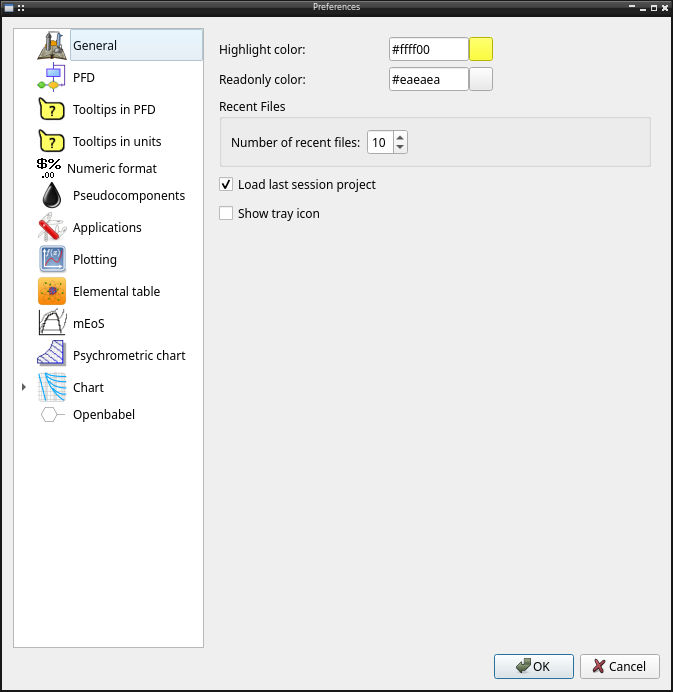
General main program options
Hightlight color in input
Read only color in input
Number of recent files shows in menu
Load last sessions project at start
Show tray icon
PFD
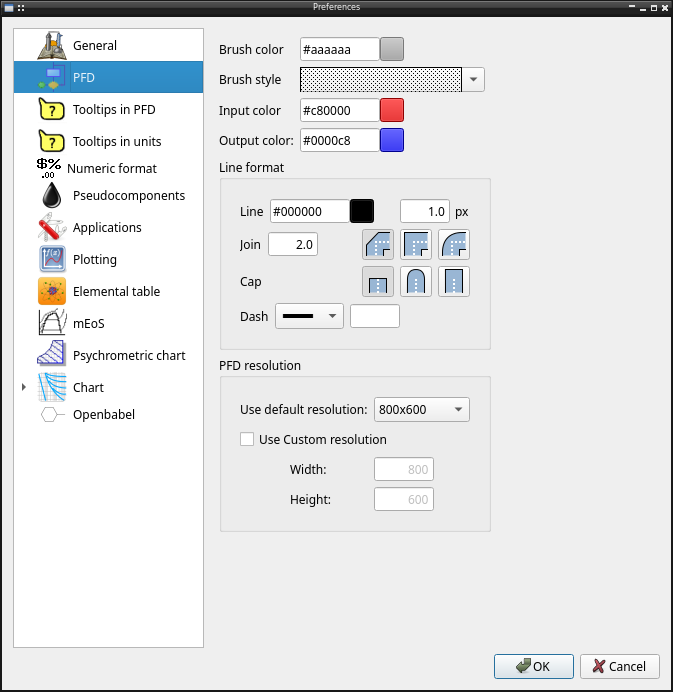
Proces Flow Diagram (PFD) options
Background brush color
Background brush style
Input stream color
Output stream color
Line format options (color, width, join, cap, dash)
PFD resolution
Tooltips in PFD
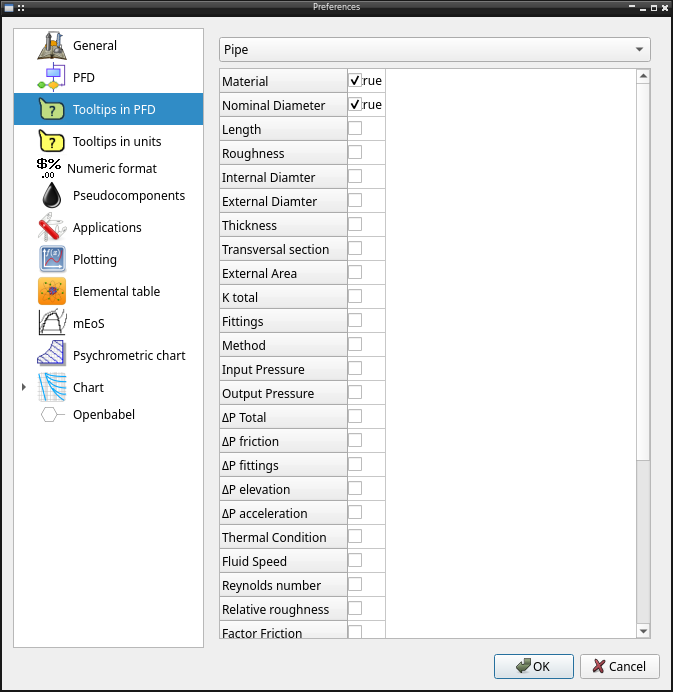
When the mouse is over a entity in PFD, a popup dialog with calculated properties can be shown with the properties defined in this tab
Tooltips in units
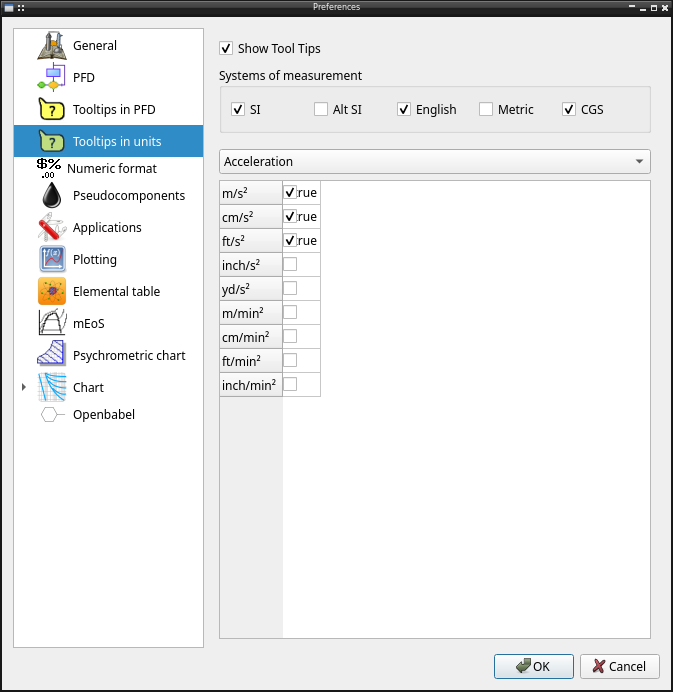
When the mouse is over a entry with units support, a popup dialog with other units values can be shown as defined in this tab
Numeric Format
Prefered numeric format when show a number in any text
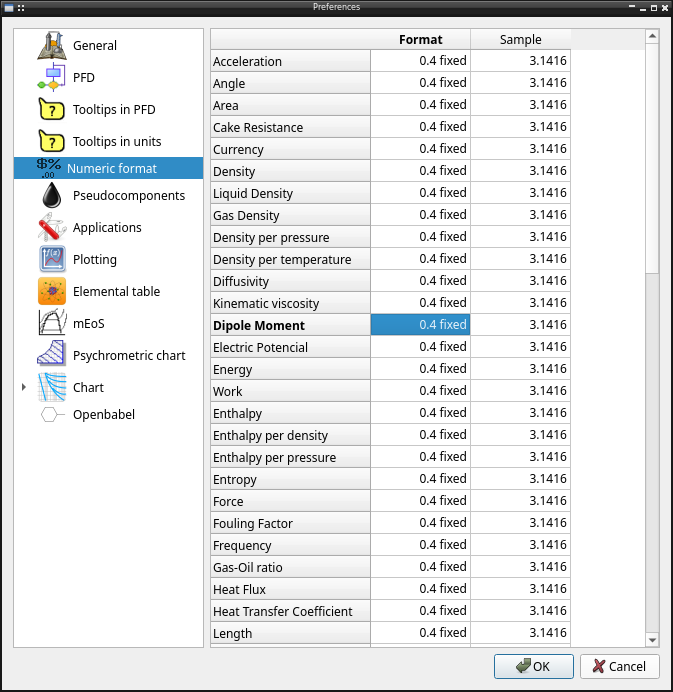
The options include the normal format options
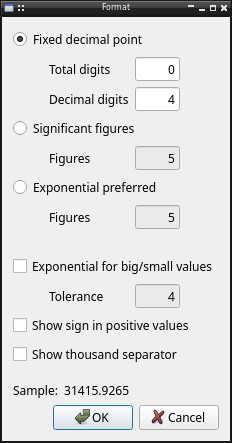
Fixed decimal point defining total and decimal digits
Significant figures
Exponential format by default
Exponential format for big/small values
Show sign in positives values
Show thousand separator (for currency for example)
Pseudocomponents
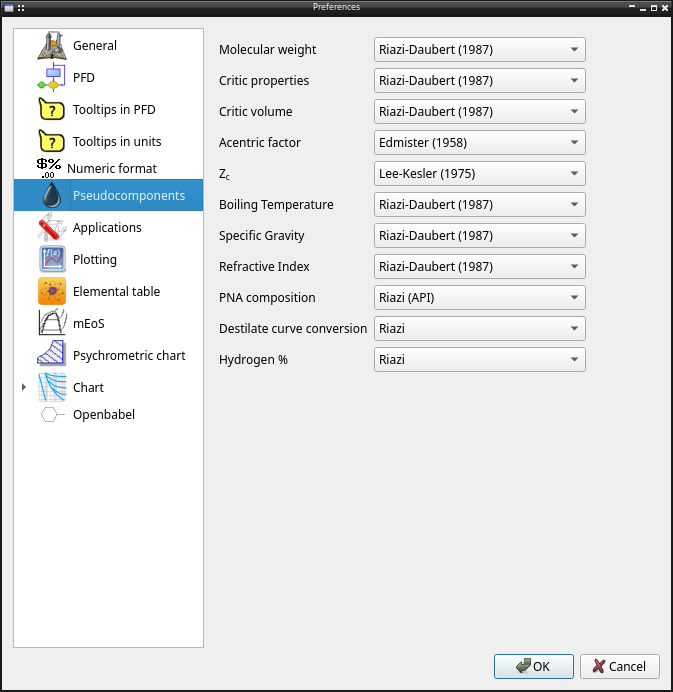
Define preferred methods to calculate properties when define oil pseudocomponents
Molecular weight
Critic properties
Critic volume
Acentric factor
Zc
Boiling temperature
Specific gravity
Refractive index
PNA composition
Destilate curve conversion
Hydrogen composition %
Applications
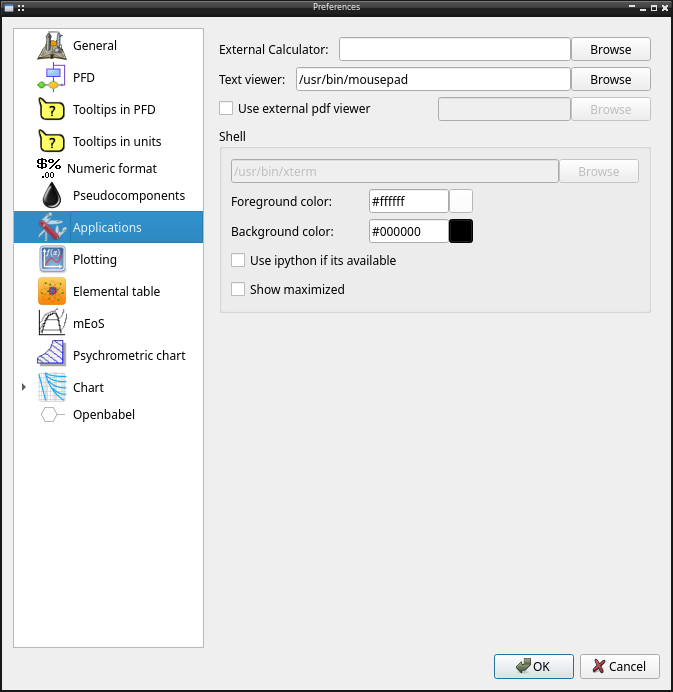
External applications call from pychemqt
Calculator
Text file viewer
Use external pdf viewer, pychemqt has a simple internal pdf viewer
Shell used along options (background, foreground color, use ipython)
Plotting
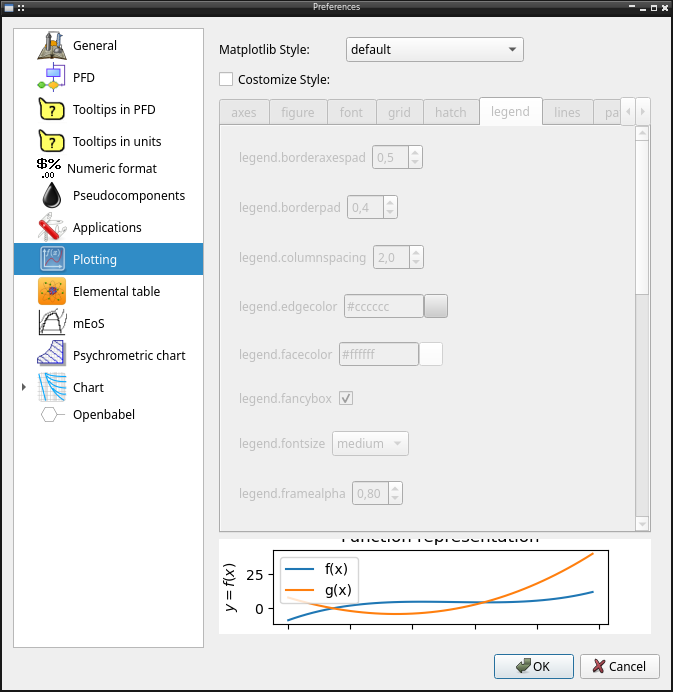
Plot can be configurated using the complete set of matplotlib config options
Can be use the matlotlib predefined styled
Customizing any of option available in matplotlibrc
qtelemental
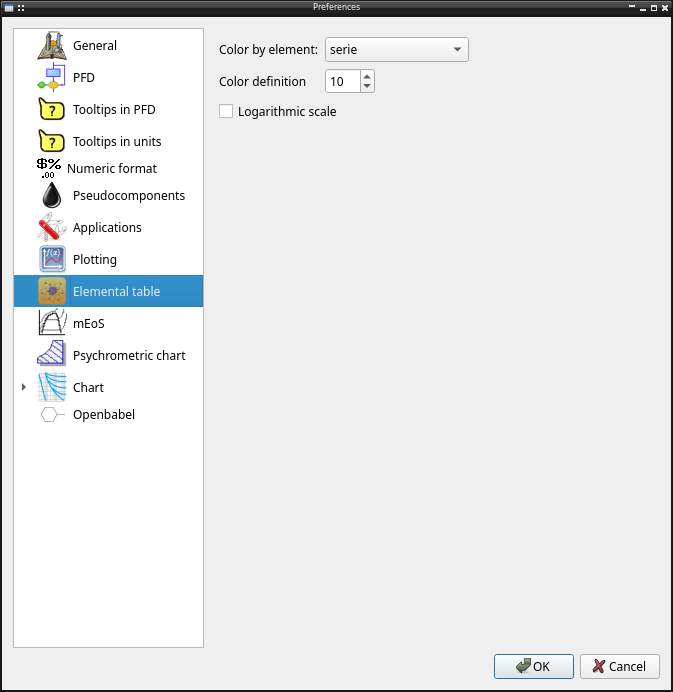
Configuration avilable for the periodic table tools
Properties to define color squeme
Color scale
MEoS
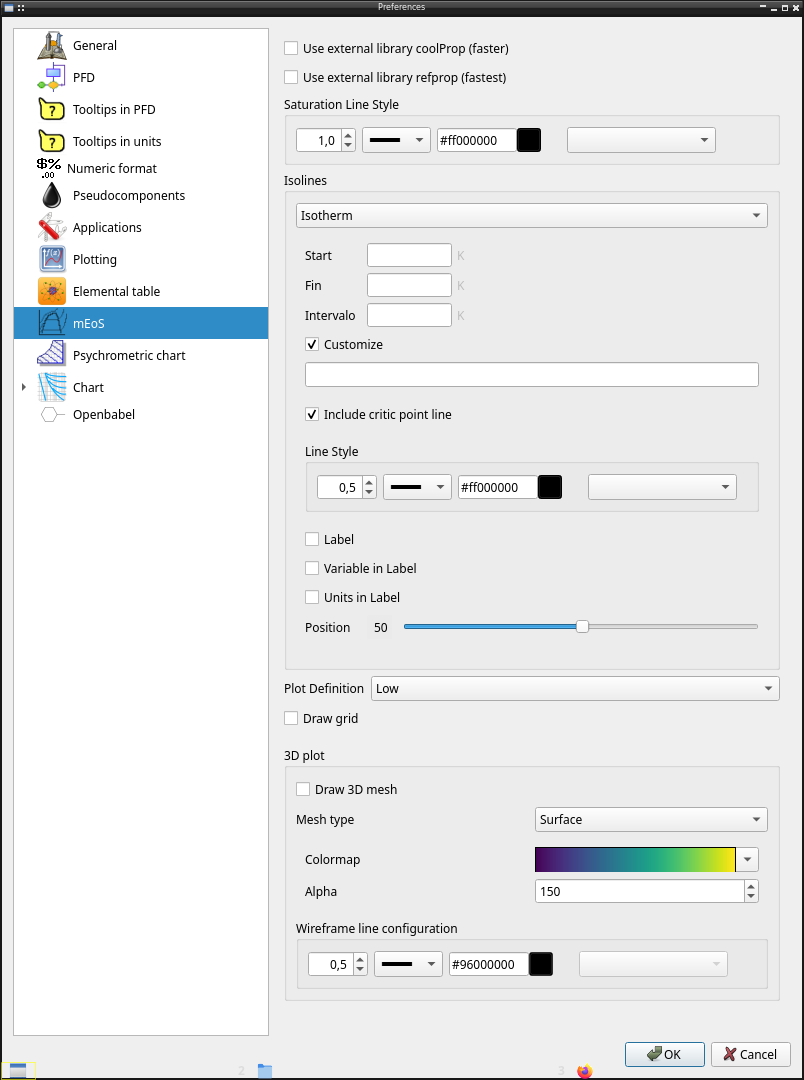
Advanced properties library calculation options
Use external libraries (Coolprop, RefProp) if it’s availables
Saturation line style (width, dash, color, marker)
Isolines shows in plots, as range or a list of lines values including line style config
Plot definition using more point (more slow)
Draw grid
3D plot options (draw mesh, mesh type, colormap, wireframe line config)
Psychrometric tools
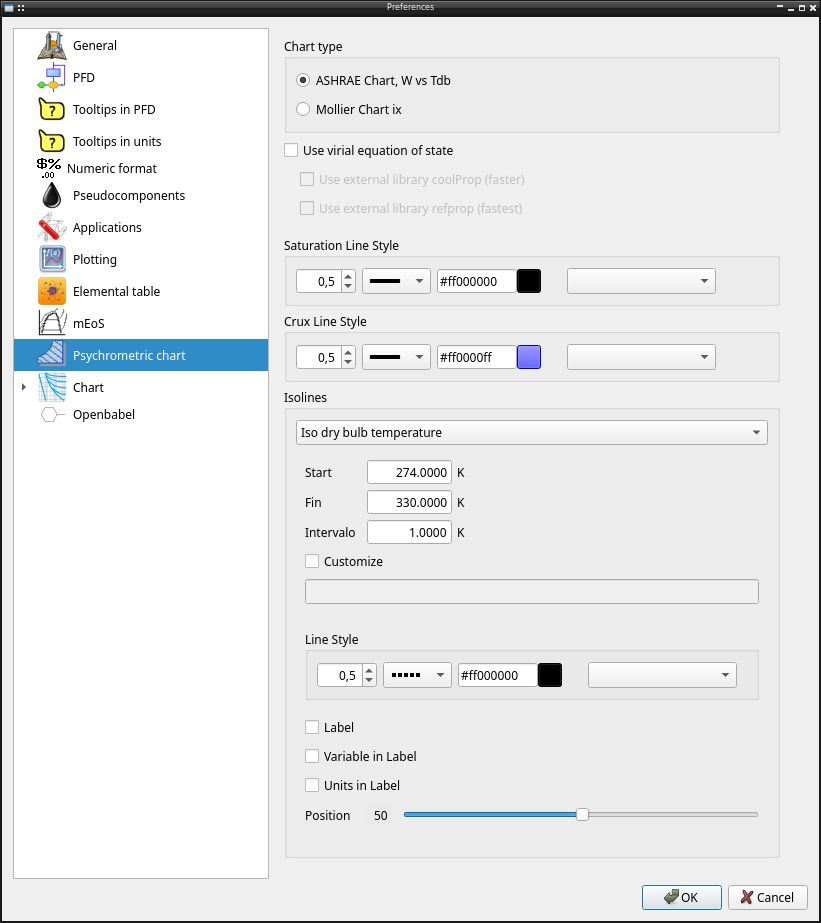
Configuration for the psychrometric tool
Chart type (ASHRAE, Mollier)
Use virial or external application if availables
Saturation line style (width, dash, color, marker)
Crux line style (width, dash, color, marker)
Isolines shows in plots, as range or a list of lines values including line style config, label and its config
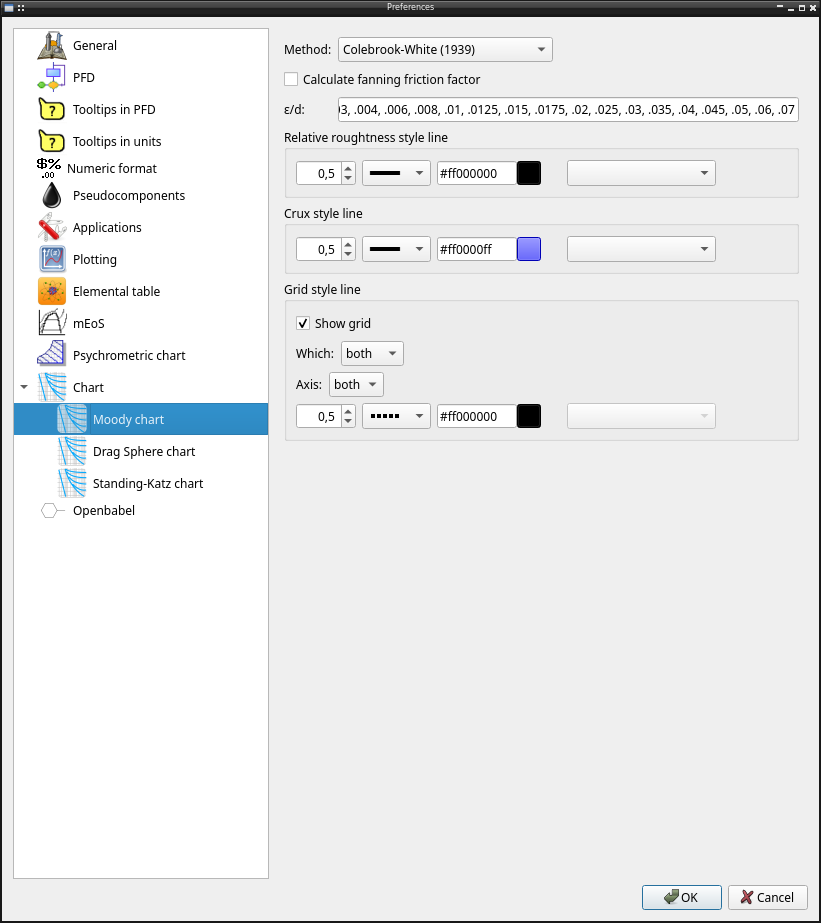
Moody chart
Moody chart configuration
Method
Calculate fanning friction factor (by default it calculates the darcy friction factor)
ε/D isolines
Reliative roughtness line style (width, dash, color, marker)
Crux line style (width, dash, color, marker)
Grid line style (width, dash, color, marker)
Drag sphere chart
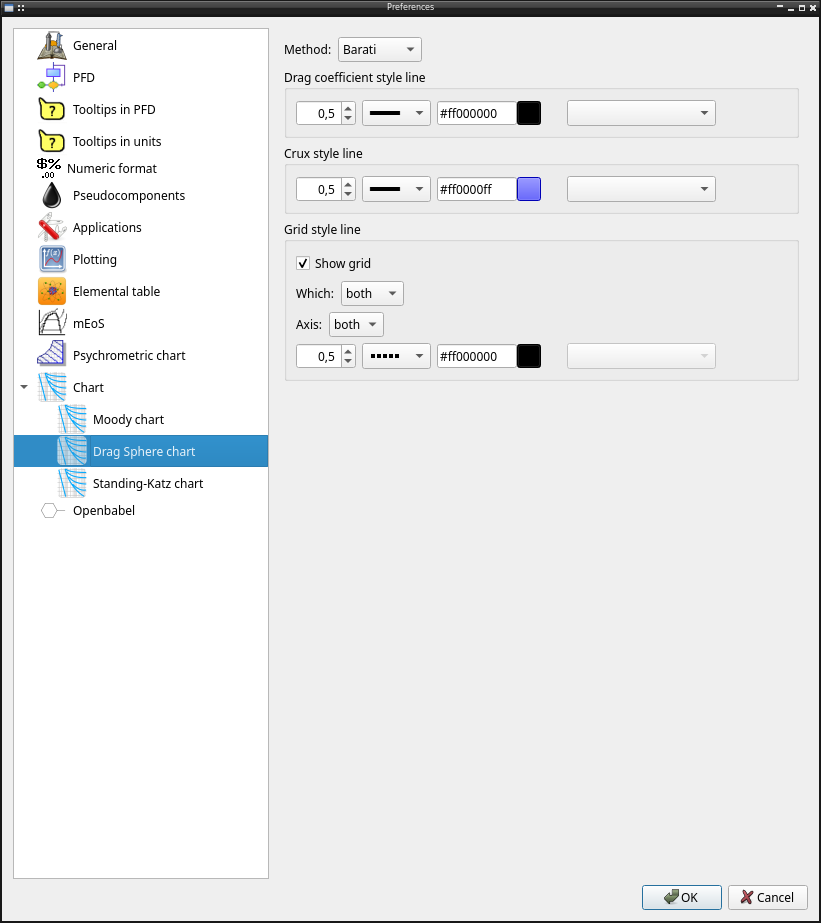
Drag sphere chart configuration
Method
Drag coefficient line style (width, dash, color, marker)
Crux line style (width, dash, color, marker)
Grid line style (width, dash, color, marker)
Standing-Katz chart
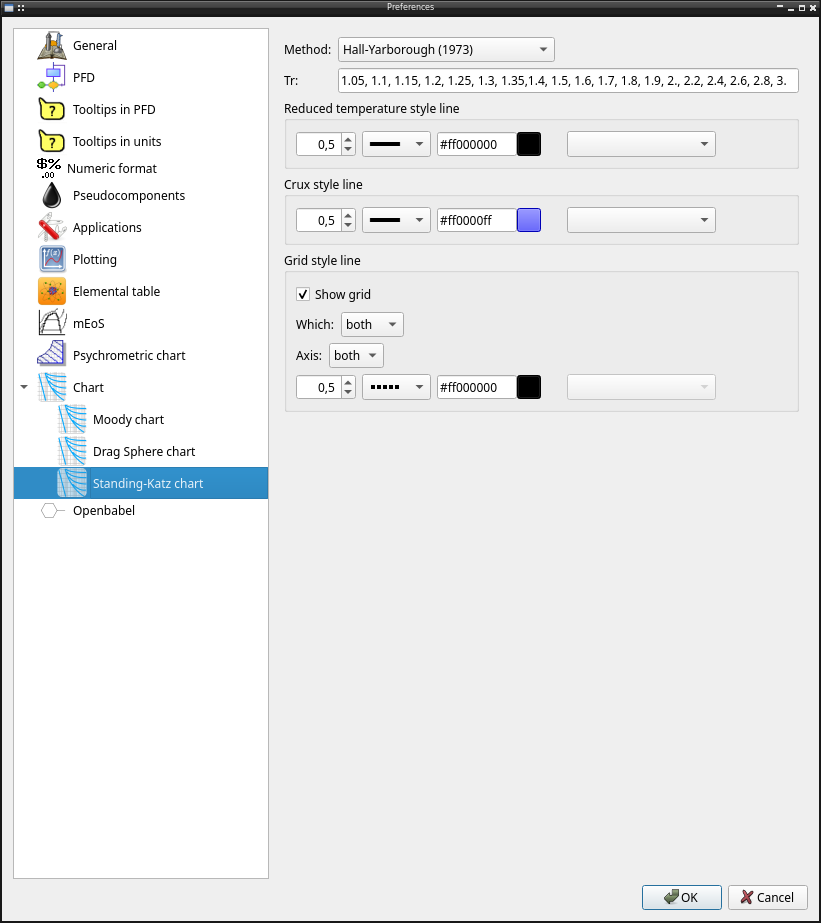
Standing-Katz chart configuration
Method
Tr lines
Reduced temperature line style (width, dash, color, marker)
Crux line style (width, dash, color, marker)
Grid line style (width, dash, color, marker)
Openbabel
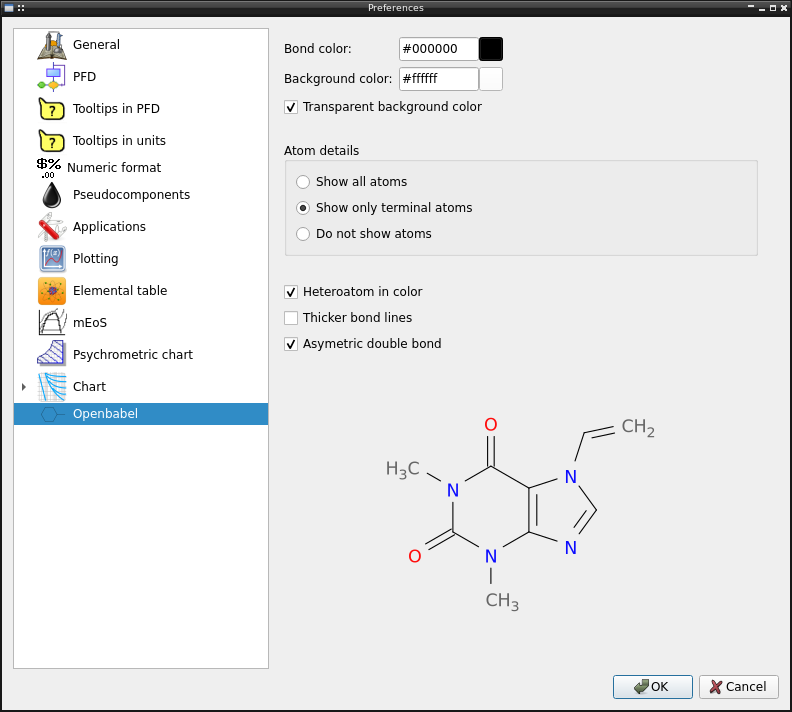
Configuration of libray openbabel to adjust the generated image
Bond color
Background color
Heteroatoms in color
Atoms details (show all atoms, only the terminal atoms)
Thicker bond lines
Asymetric double bond
Show atom index
API reference
Library to show/configure pychemqt general preferences
ConfGeneral: General configuration options
ConfTooltipUnit: Tooltip with unit alternate value configuration
ConfFormat: Numeric format configuration
ConfApplications: External applications configuration
ConfTooltipEntity: Entity properties in popup configuration
In addition to other tabs defined in other modules:
lib.plot.ConfPlot: Matplotlib configuration
lib.openbabel.ConfBabel: Openbabel image generation configuration
tools.UI_Tables.prefMEOS.Widget: mEoS parameter configuration
UI.prefPFD.Widget: Flow Diagram configuration
UI.prefPetro.Widget: Petro new component configuration
tools.UI_psychrometry.Config: Phychrometric chart configuration
- tools.UI_Preferences.translate(context: str, sourceText: str, disambiguation: str = None, n: int = -1) str
- class tools.UI_Preferences.ConfGeneral(config=None, parent=None)[source]
Bases:
QDialogGeneral configuration options
Methods
value(config)Update ConfigParser instance with the config
- class tools.UI_Preferences.ConfTooltipUnit(config, parent=None)[source]
Bases:
QDialogTooltip with unit alternate value configuration
Methods
checkShow_Toggled(boolean)Enable/Disable widgets
fill(magnitud, tabla, config)Fill the the table with the data
systems(unitSet, boolean)Check the units defined in the unit set
value(config)Update ConfigParser instance with the config
- class tools.UI_Preferences.ConfTooltipEntity(config, parent=None)[source]
Bases:
QDialogEntity properties in popup window configuration
Methods
fill(equipo, tabla, config)Fill the the table with the data
value(config)Update ConfigParser instance with the config
- class tools.UI_Preferences.ConfFormat(config=None, parent=None)[source]
Bases:
QTableWidgetNumeric format configuration
Methods
showConfDialog(fila)Show dialog with numeric format configuration
txt(formato)Get the string format text
value(config)Update ConfigParser instance with the config
- class tools.UI_Preferences.ConfApplications(config=None, parent=None)[source]
Bases:
QDialogExternal applications configuration
Methods
value(config)Update ConfigParser instance with the config
- class tools.UI_Preferences.Preferences(config=None, parent=None)[source]
Bases:
QDialogPreferences main dialog
Methods
getIndex(item)Get index of item
value()Return value for wizard
- classes = [('pychemqt.png', <class 'tools.UI_Preferences.ConfGeneral'>, 'General'), ('button/PFD.png', <class 'UI.prefPFD.Widget'>, 'PFD'), ('button/tooltip.png', <class 'tools.UI_Preferences.ConfTooltipEntity'>, 'Tooltips in PFD'), ('button/tooltip.png', <class 'tools.UI_Preferences.ConfTooltipUnit'>, 'Tooltips in units'), ('button/format_numeric.png', <class 'tools.UI_Preferences.ConfFormat'>, 'Numeric format'), ('button/oil.png', <class 'UI.prefPetro.Widget'>, 'Pseudocomponents'), ('button/applications.png', <class 'tools.UI_Preferences.ConfApplications'>, 'Applications'), ('button/plot.png', <class 'tools.UI_confPlot.ConfPlot'>, 'Plotting'), ('button/periodicTable.png', <class 'tools.qtelemental.Config'>, 'Elemental table'), ('button/tables.png', <class 'tools.UI_Tables.prefMEOS.Widget'>, 'mEoS'), ('button/psychrometric.png', <class 'tools.UI_psychrometry.Config'>, 'Psychrometric chart'), ('button/moody.png', (<class 'plots.moody.Config'>, <class 'plots.drag.Config'>, <class 'plots.standing.Config'>), 'Chart'), ('chemistry/grupo18.png', <class 'lib.openbabel.ConfBabel'>, 'Openbabel')]
