tools.UI_confComponents module
Dialog to define the chemical compounds used in the project, both normal fluids and solids
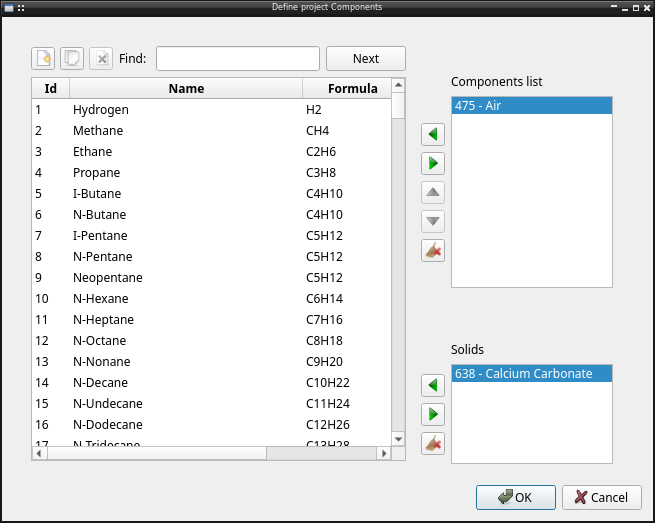
The module include all related widget for components configuration:
UI_confComponents_widget: Components list widget, to use in whatever need, dialog, wizard…Dialog: Standalone dialog
API reference
- class tools.UI_confComponents.UI_confComponents_widget(config=None, solido=True, parent=None)[source]
Bases:
QWidgetComponent list widget to use in dialor and in wizard
Methods
Add()Add selected component to component list
AddSolid()Add selected component to solid component list
Delete()Remove component to component list
Remove component to solid component list
Down()Down selected item in component list
Up()Up selected item in component list
clear()Clear component list
Clear solid component list
Check current status of button availibility
default(config)Default configuration
value(config)Function to result wizard
componentChanged
- componentChanged
pyqtSignal(*types, name: str = …, revision: int = …, arguments: Sequence = …) -> PYQT_SIGNAL
types is normally a sequence of individual types. Each type is either a type object or a string that is the name of a C++ type. Alternatively each type could itself be a sequence of types each describing a different overloaded signal. name is the optional C++ name of the signal. If it is not specified then the name of the class attribute that is bound to the signal is used. revision is the optional revision of the signal that is exported to QML. If it is not specified then 0 is used. arguments is the optional sequence of the names of the signal’s arguments.
